Message Translation
Understand how messages are translated in Unio.
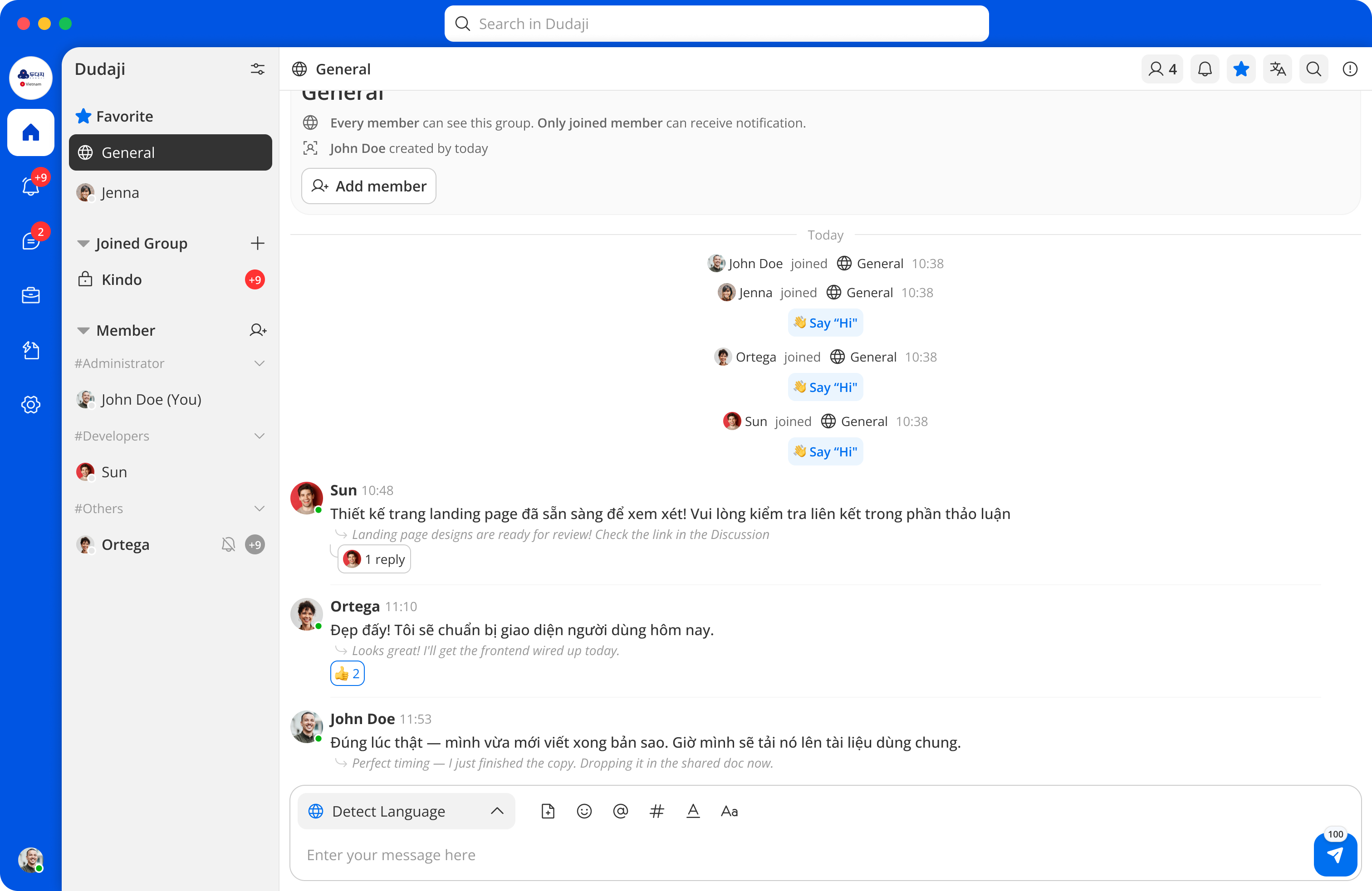
Automatic Translation
When a message is sent in a language different from your preferred language, Unio automatically translates it. You'll see:
- The translated message displayed prominently.
- The original message available to view.
Viewing the Original
Tap on a translated message to toggle between the translation and the original text.
Translation in Notifications
Translated messages also appear in your notifications, so you can understand the content without opening the conversation.
Supported Languages
Unio supports translation between a wide range of languages. The available languages are displayed in the language settings picker.